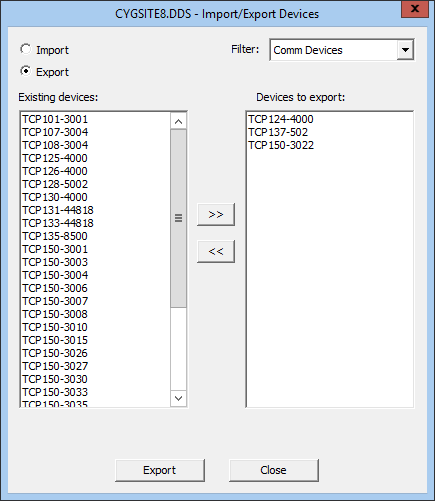
You can import and export communication device configurations in your Device Definition Service (DDS) using CygNet Explorer. This is especially useful for copying a device configuration from one DDS to another. Additionally, exported device configuration XML files can be stored in separate folders as backup records of current device configurations.
Device properties are exported in XML format. The file produced by export contains the configuration properties of the exported communication device.
To Export Devices
You can export one or more device configurations at a time. If you export multiple device configurations at one time, definitions are written to a single .xml file.
The following is a sample Export view of the Import/Export Devices dialog box.
|
|
| Sample Import/Export Dialog Box: Export View |
To Import Devices
You can use the Import option to create new device configurations or overwrite existing device configurations. The import source file must be an .xml file created using the Export process.
Note: When using Import to create a new device configuration, facilities linked to the device configuration must already exist in the Facility Service (FAC). Linked facilities are not created during the import process.
The following is a sample Import view of the Import/Export Devices dialog box.

|
| Sample Import/Export Dialog Box: Import View |

|
|
|

